
Windows Sign-in Recovery
An illustrated guide to recovering access to your own or authorized Windows computer, based on its account type.
What do you see?
Enter passwords, verification codes and recovery keys only on your device or official Microsoft pages. This guide never asks for them.
Forgot my PIN
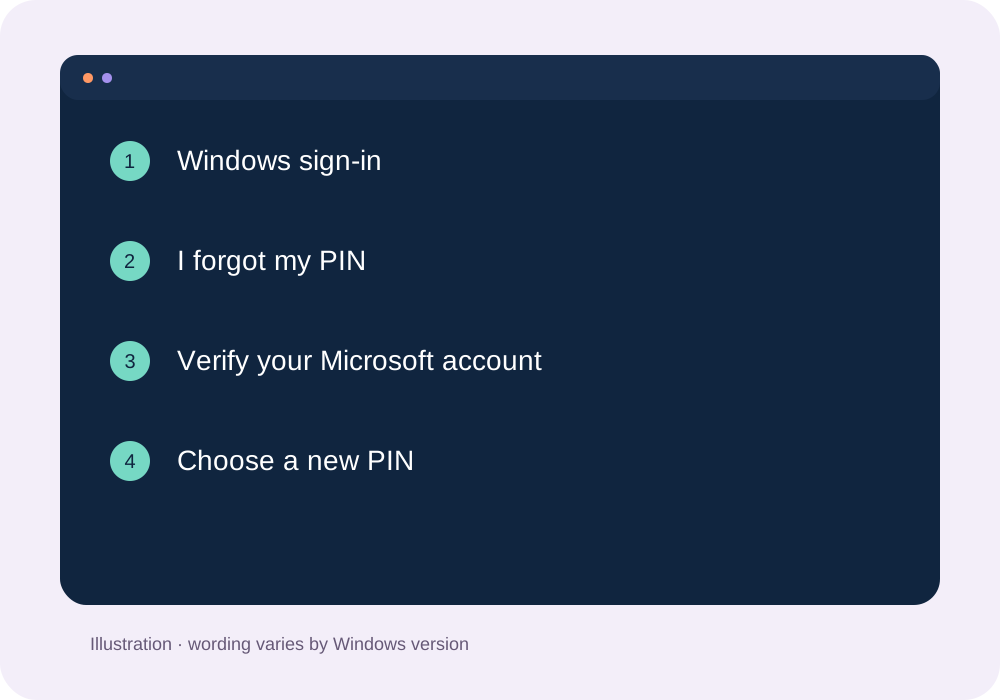
Open Sign-in options and choose PIN or password. Your PIN is different from your Microsoft account password.
Select I forgot my PIN. If it is absent, sign in with your password, then open Settings → Accounts → Sign-in options.
Complete Microsoft verification using your recovery method, then create a new PIN on the device.
Account recovery did not work?
Protect your file backups and BitLocker key and consult support or a trusted technician before reinstalling. Keep my files reinstalls Windows and removes apps and settings; it does not guarantee preservation of every application’s data.
Microsoft: Reset your PC ↗Illustrations are teaching diagrams, not screenshots of your PC. References reviewed 21 October 2026. PIN, Microsoft account, local account and BitLocker recovery are different operations.